
workflows · 07
Alerts that find you: the AL window and the thirty-second closing routine
Run the scenario every monitoring setup eventually meets: the level you've been watching for weeks finally trades — after hours, on a Tuesday, while you're at dinner. The watchlist wall you built is excellent and also unwatched, because you have a life. In one version of the evening, your phone's feed mentions it tomorrow, with the move over. In the other, your browser pinged you at the moment it happened, because ninety seconds of setup had a machine watching the level for you. That second evening costs one command.
The window
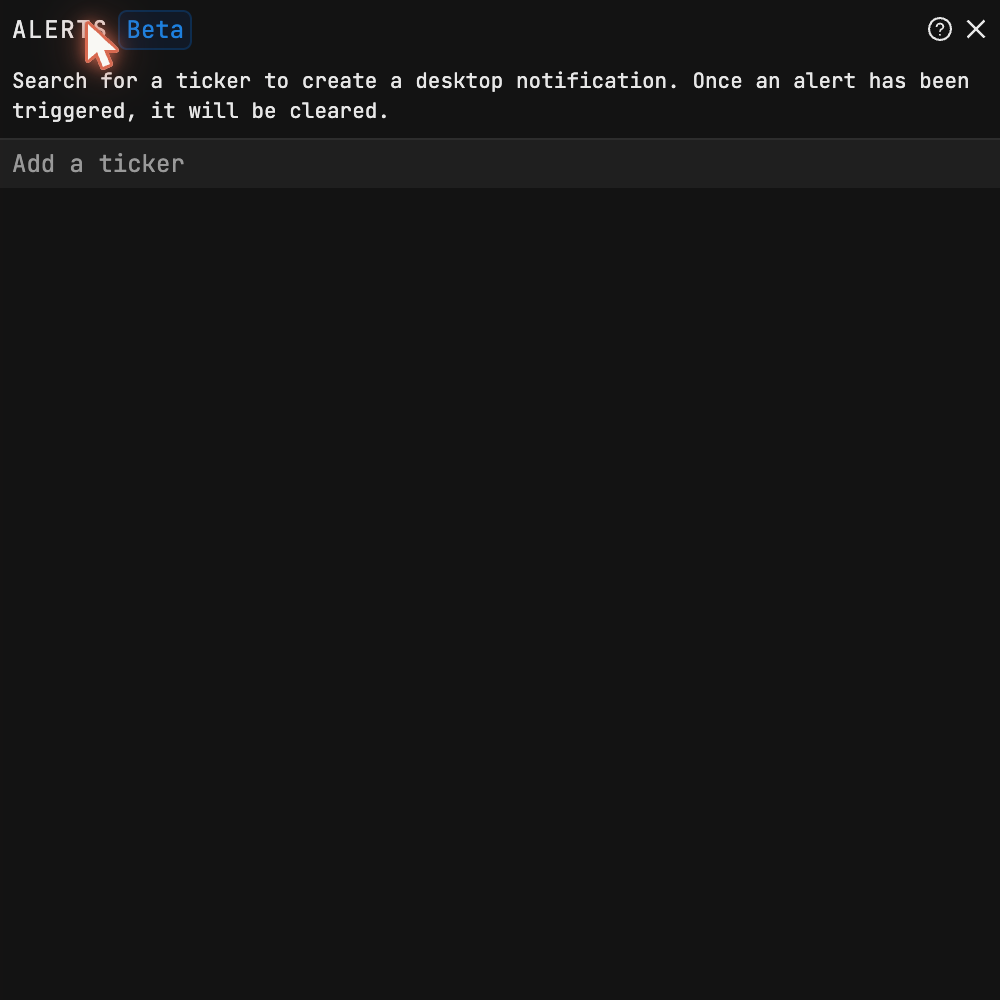
AL opens the alerts manager — a bare command, no ticker in front, which
catches everyone trained by the rest of this site's commands. Search a name,
set a price or volume level, and when it trips you get a desktop
notification through the browser. That's the mechanism. No phone app —
a real limitation worth knowing — so this
is a desk feature: the browser has to be running.
The trap
Read the product's sentence in that screenshot again, because it changes how you use the feature: a triggered alert clears itself. It doesn't re-arm. And nothing tells you that the level you set last month already fired — the wall goes dark one alert at a time, and it goes darkest precisely on the names where things have been happening. An alert system you set-and-forget becomes, quietly and automatically, no alert system at all within a few active weeks.
Design choice, not bug — an alert that fires forever is its own noise. The fix is a routine.
The thirty-second routine
Anchor it to something you already do at the close — mine rides on the end-of-day glance at the wall:
- Open
AL. Anything gone from the list fired today; the absence is the record. - Re-set the fired levels that still matter. The ones that don't — leave them gone. That's the system cleaning itself.
- Add a level for anything that earned a spot on the wall today.
Thirty seconds. The payoff is the Tuesday-dinner scenario landing on the right side, every time it happens for the rest of your run with this tool.
What earns an alert
Fewer names than you think — a notification for everything reproduces the noise you finished cutting in the news guide. Mine: a level that would change a thesis (not a round number for its own sake), unusual volume in a quiet name, and the week's reporters during earnings season. The test for each: if the ping wouldn't change what you do that day, it's decoration — and decoration that interrupts dinner is worse than none.
Tickers on this page are teaching examples, not recommendations. TickerFluent publishes education, not investment advice.